£0
DriveSchoolPro Today
The full product, free during early access — no per-student fees
Searching for free driving school software? Good news: DriveSchoolPro is the full product, free until 31 March 2027 while we're in early access. This honest guide also covers what other "free" options really offer — and their hidden costs.
The full product, free during early access — no per-student fees
Full access, no card required
No caps — even while free
Across 8 categories — more than free tools track
Student, instructor and vehicle
Per week — based on early user feedback
When you're starting out as a driving instructor, every penny counts. The idea of free driving school software is appealing—but what do you actually get for nothing? And more importantly, what are you giving up?
This guide cuts through the marketing speak to give you an honest look at free driving school software options, their limitations, and when it makes sense to invest in paid tools instead.
Some software providers offer a permanently free tier with basic features. These plans typically include:
Best for: Brand new instructors testing the waters, or those with very few regular students.
Most professional driving school software offers free trials, typically 14-30 days with full feature access, then a monthly fee:
Best for: Serious instructors ready to commit who want to test drive the full system first.
Free to use but requires technical knowledge to set up and maintain:
Best for: Technically minded instructors or those with IT support available.
DriveSchoolPro doesn't fit any of the categories above right now. While we're in early access, the entire product is free until 31 March 2027 — not a limited tier, not a time-boxed trial:
Why free? Because it's early — we're building with founding schools, and your feedback shapes the product.
| Feature | Typical Free Plans | Typical Paid Plans | DriveSchoolPro (free until 31 Mar 2027) |
|---|---|---|---|
| Student Limit | 5-10 | Unlimited | Unlimited |
| Online Booking | ✗ | ✓ | ✓ |
| Invoicing & Payment Recording | ✗ | ✓ | ✓ |
| Email Reminders | ✗ | ✓ | ✓ |
| DVSA Competency Tracking | Basic | Full (27 skills) | Full (27 skills) |
| Student Portal | ✗ | ✓ | ✓ |
| Reporting | ✗ | ✓ | ✓ |
| Support | Email only | Full | Priority |
Free software has hidden costs that aren't immediately obvious. Here's what you're actually trading when you choose free over paid:
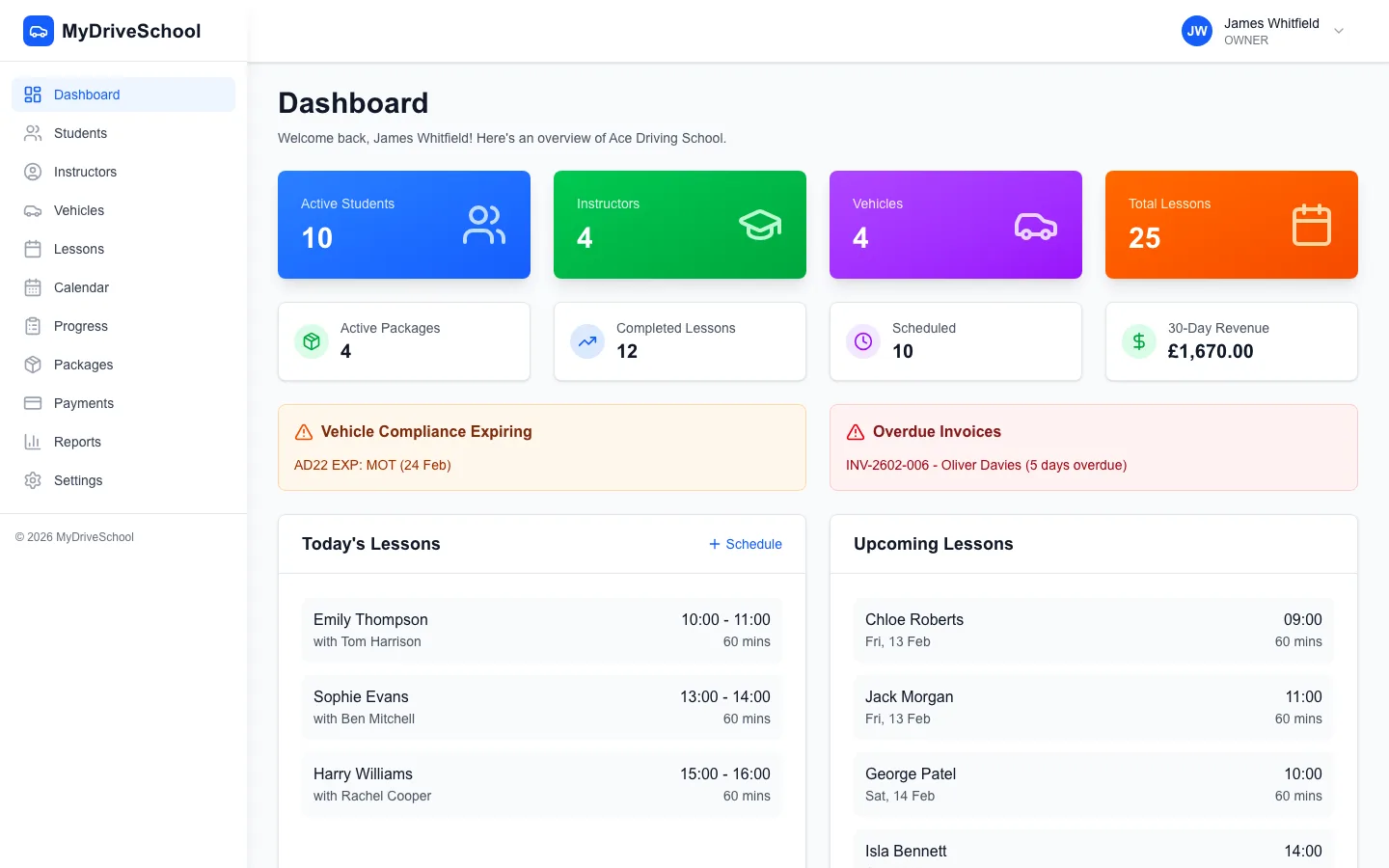
What paid driving school software looks like: the DriveSchoolPro dashboard
If your hourly rate is £35 and free software costs you 5 extra hours of admin per week, that's £175/week or £700/month in lost teaching time. Most paid software costs £30-50/month.
The maths rarely favours free software once you have more than a handful of students.
Most free plans cap active students at 5-10. Once you exceed this, you'll need to delete old students to add new ones—losing valuable lesson history and progress records.
Free tools lack drag-and-drop calendars and conflict detection. This means more time managing your diary and a higher risk of double-bookings and scheduling errors.
You'll need to send your own text or email reminders before lessons. Miss one, and you risk a no-show—costing you an hour of income plus wasted travel time.
Free plan users typically get email-only support with slow response times. If something breaks on a busy Monday morning, you're on your own until someone gets around to your ticket.
Free tools can't generate invoices, track payment status, or manage lesson packages. You're left chasing payments manually and losing track of who owes what.
Many free plans include the software provider's branding on student-facing pages, or may show ads. This can undermine your professional image.
Free software makes sense when you're just starting out. But there are clear signals that it's time to invest in proper tools:
Once you hit this threshold, the admin time saved by proper software easily covers the cost.
One prevented no-show per month typically covers a month's software subscription.
If you're spending evenings coordinating lessons instead of relaxing, automation is worth the investment.
Modern students expect to book online. If they're asking, they might go elsewhere if you can't provide it.
Scaling a driving school on free tools is nearly impossible. Paid software provides the infrastructure for growth.
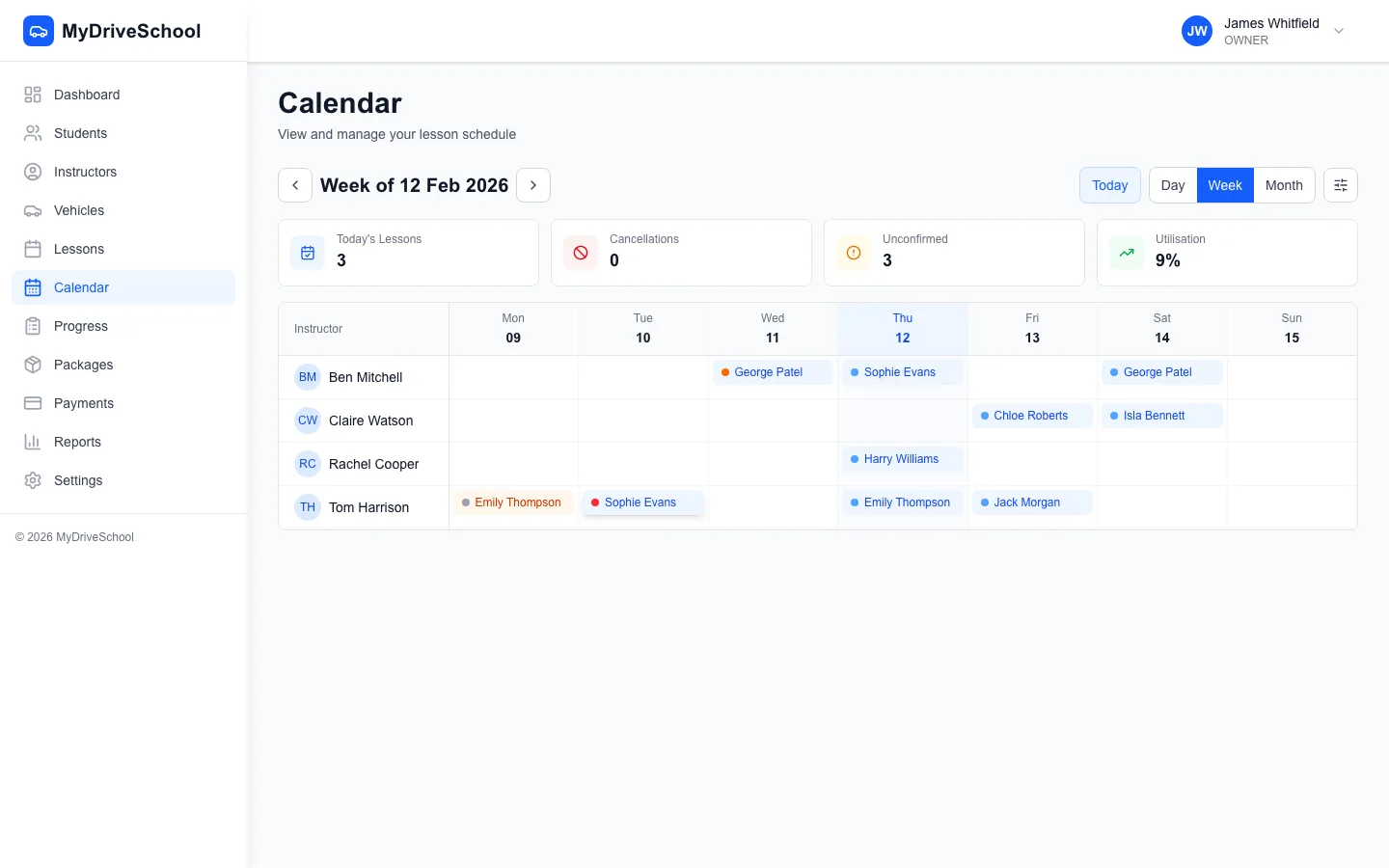
Professional scheduling that free tools can't match: drag-and-drop calendars with conflict detection
Whether you start with free or go straight to paid, here's what to evaluate:
Some instructors piece together free tools instead of using dedicated driving school software. Here's an honest look at this approach:
Free, but students can't book themselves. No reminders, no progress tracking, no payments.
Basic online booking with Calendly free plan, student notes in Notion. Limited to 1 event type on free Calendly.
Free plan includes online booking and payments. Not designed for driving schools, so no progress tracking or lesson-specific features.
These workarounds can function for a few students, but they don't scale. You'll spend more time maintaining the system than a dedicated solution would cost.
Before investing in software, understand your potential earnings and costs. Our free calculator shows your effective hourly rate, break-even utilisation, and profit projections with UK industry benchmarks.
Calculate Your Revenue & Earnings| DriveSchoolPro (free until 31 Mar 2027) | Free Plans | Spreadsheets/DIY | |
|---|---|---|---|
| Drag-and-Drop Scheduling | |||
| Automated Email Reminders | |||
| Unlimited Students | |||
| Invoicing & Payment Recording | |||
| DVSA Competency Tracking | |||
| Responsive Web App | |||
| Customer Support | |||
| GDPR Compliance | |||
| Data Backup | |||
| No Usage Limits |
Yes — DriveSchoolPro is genuinely free right now. The full product — unlimited students, scheduling, DVSA tracking, invoicing, and automated reminders — is free until 31 March 2027 while we're in early access, with no card required. Most other 'free' options are freemium plans with severe limitations: 5-10 student caps, no online booking, no automated email reminders, no payment recording.
Free plans usually include basic scheduling (5-10 students max), simple calendar views, manual reminders, and limited storage. Premium features excluded from free plans: drag-and-drop scheduling, automated email reminders, invoicing, DVSA competency tracking, multi-instructor support, student portal access, and customer support. These limitations make free plans impractical beyond hobby-level use.
With DriveSchoolPro, yes — because you get the full product free until 31 March 2027, not a stripped-back tier. With typical freemium tools the limitations quickly appear: no drag-and-drop scheduling means clunky diary management, manual reminders lead to no-shows, student limits block growth, and no invoicing requires separate tools. Free only works when it's the whole product.
Free trials give full access for 14-30 days, then require payment or you lose access. Free plans offer permanent access to extremely limited features (5-10 students, basic calendar, no automation). DriveSchoolPro is different: the full product is free until 31 March 2027 with no card required, and from 1 April 2027 the permanent Free plan keeps every feature, including AI lesson briefings, for 1 instructor and up to 60 lessons a month. The limit is on how busy you are, not on which features you get.
Security varies dramatically. Free software from established companies (offering paid plans too) typically maintains good security standards. Free-only tools often lack proper data encryption, GDPR compliance, regular backups, or security audits. Storing student personal data (names, addresses, licence details) in insecure systems creates liability. Always verify security credentials before storing student data.
With reputable software providers, yes. Your student records, lesson history, and settings transfer seamlessly when upgrading. This is why choosing software from established companies is safer than obscure free-only tools. With DriveSchoolPro there's nothing to upgrade from — you're on the full product from day one, free until 31 March 2027, with all your data intact whenever pricing launches.
Hidden costs include: 6+ hours weekly on manual admin (scheduling calls, manual reminders, spreadsheet updates), 15-25% no-show rate without automated reminders (£3,000+ annual lost revenue for 500 lessons/month), double-bookings and scheduling errors without conflict detection, and opportunity cost of capped student limits blocking growth.
Driving school software typically costs £15-100+ per month. DriveSchoolPro is currently free — until 31 March 2027 — while we're in early access, for solo ADIs and multi-instructor schools alike. Compare that with the hidden costs of limited free tools (6+ hours weekly at £20/hour = £520/month in time, plus no-show losses) and the value is clear. From 1 April 2027 there's a permanent Free plan for 1 instructor and up to 60 lessons a month, and Solo is £22 a month with no VAT charged.
Spreadsheets work for tracking but fail at automation. They can't send automated reminders (causing no-shows), don't offer conflict detection (risk of double-bookings), have no student portal (more phone calls), and become unmanageable beyond 15-20 students. Spreadsheets are 'free' but cost 6+ hours weekly in manual work.
Right now, it's DriveSchoolPro itself. The full product — unlimited students, DVSA tracking, scheduling, invoicing, and automated reminders — is free until 31 March 2027 while we're in early access, with no card required. That beats both limited 'free forever' plans that block growth and time-boxed trials that expire just as you're settled in.
Yes. DriveSchoolPro is free until 31 March 2027 while in early access: the diary, online booking, email lesson reminders, payments and DVSA 27-skill progress tracking, with no card required. Some general booking tools also have permanent free plans, but these cap bookings or clients and don't track the DVSA driving skills.
DriveSchoolPro is free to download on the App Store and Google Play. You run your diary from the app, and your pupils use the same app, or any web browser, to see their lessons and progress, book and pay. There's no desktop software to install, and it's free until 31 March 2027.
Complete guide to driving school software features and benefits.
Tips, guides, and resources for driving instructors.
View our affordable pricing options for every business size.
The instructor apps UK ADIs shortlist, compared on features.
DriveSchoolPro side by side with Total Drive, Passly, LessonBuddy and others.
Learn about our mission to help driving instructors succeed.
Get full access to every feature — no card required. See for yourself what DriveSchoolPro can do for your school.
We use cookies to improve your experience, analyse site traffic and measure our Google ads.Read our Privacy Policy