Best Driving School Software UK 2026: 12 Compared

Built and sold RevelationPets.com. First Class Honours in Software Engineering. 20+ years in SaaS.
Choosing driving school software is mostly a question of fit: a solo ADI, a three-car school and a franchise want different things. This guide compares the 12 platforms UK instructors most often shortlist, side by side, on price, apps, DVSA progress tracking, reminders and card fees, then shows how to choose.
How we checked. Every fact about another platform comes from that company’s own website or app-store listing, checked on 2 November 2026, and each review links to its source. Where a site doesn’t say something, we say “not stated” rather than guess; the feature may still exist. Prices change, so check the vendor’s pricing page before you buy. No ratings or review scores here are ours to give, so there aren’t any.
Who wrote this. We make DriveSchoolPro, so read this with that in mind. Where another platform is the better fit, we say so. DriveSchoolPro’s own facts match our company fact sheet.
The short answer
- Solo ADI who wants DVSA tracking and less admin, free for now: DriveSchoolPro. Free until 31 March 2027.
- Solo ADI who wants the most established UK app, with theory practice: Total Drive.
- Solo ADI on the lowest monthly price: LessonBuddy or Lesson Diary, both £9.99 a month.
- Instructor who wants text reminders included: MyDriveTime or GoRoadie Pro.
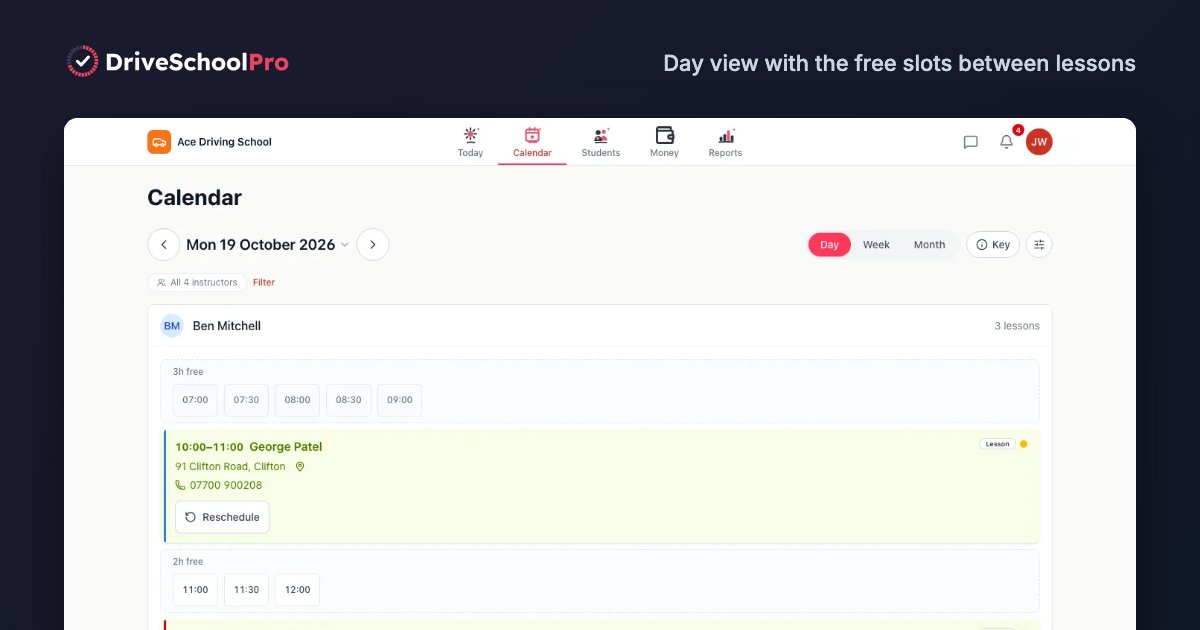
- Multi-car school that wants vehicle clash checks and MOT, tax and insurance dates: DriveSchoolPro.
- School with 10 or more instructors on a budget: MyDriveTime, whose extra instructors fall to £5 a month each.
- Franchise or white-label: Driving School Office.
- Just online booking on a light diary: SimplyBook.me or Reservio on a free plan.
Comparison table 1: price, trial and platforms
Prices as published on each vendor’s site on 2 November 2026. “Per month” unless stated.
| Software | Published price | Free trial or free plan | Platforms |
|---|---|---|---|
| DriveSchoolPro | Free until 31 March 2027. Then Free plan (1 instructor, 60 lessons a month), Solo £22, School £22 + £10 per extra instructor. No VAT charged | Free now, no card | iPhone and Android app, web |
| Total Drive | Four plans, £18 to £26, VAT included | 30 days, no payment details | iPhone and Android app, web |
| MyDriveTime | Individuals £19 (SMS included). Schools from £19, extra instructors £15, £10 or £5 each depending on team size | 30 days, no card | Mobile app and web browser |
| GoRoadie Pro | £17 | Free trial, no card (site says both 60 days and 1 month); free for PDIs | iPhone and Android app |
| Passly | £14.99 (£7.50 for the first 3 months); extra instructors £8.99 on its pricing page | 14 days, no card | Mobile app and web |
| LessonBuddy | £9.99, or £89.99 a year | 60 days for ADIs, up to 6 months for PDIs, no card | iPhone and Android app |
| Lesson Diary | Solo £9.99; free account for up to 3 pupils and 12 lessons | 14 days (payment details at checkout) | Web, iPhone app; Android on request |
| Bitepoint (bitepoint.co.uk) | £17.99 per instructor; pupils pay a 3.5% booking fee, capped at £3.50 | Not stated | Web diary and WhatsApp; no app to install |
| Driving School Office | Not published (“Pay-As-You-Grow”, “First Instructor Free”) | Not stated | Web browser |
| Teachworks | From US$16.49 + US$0.35 per student lesson (Starter) | 21 days | Web |
| SimplyBook.me | Free (50 bookings a month) to £55; SMS and WhatsApp credits extra | Free plan; 14-day trial, no card | Web, iPhone and Android apps |
| Reservio | Free (40 bookings per 30 days) to £29 + VAT; shortest term 6 months | Free plan; 14-day trial | Web, iPhone and Android apps |
Comparison table 2: features that separate them
| Software | DVSA progress tracking | Lesson reminders | Card payments | Multi-instructor | Best for |
|---|---|---|---|---|---|
| DriveSchoolPro | All 27 skills, 8 categories; pupils see their own | Email (text and WhatsApp coming soon) | Stripe; 3% platform fee + Stripe’s fee | Yes, with clash checks across pupil, instructor and car, and MOT, tax and insurance dates | DVSA-led solo ADIs and small-to-medium schools |
| Total Drive | Syllabus tracking with custom syllabuses and skill sets | Free lesson and payment reminders; channels not stated | Yes; fee not stated | Yes, including pass rate per instructor | An established app with theory practice |
| MyDriveTime | “The standard DVSA syllabus”, customisable | Automated, with delivery shown in the diary | Not stated | Yes, cheaper per head as the team grows | Support-led solo ADIs and bigger schools |
| GoRoadie Pro | Pupil progress tracking; DVSA not named | Text, email and in-app, included | Stripe; 1.9% service fee | Not stated on the Pro page | Included texts and an enquiry manager |
| Passly | “DVSA-aligned” scoring | Email, in-app and push; no SMS | Stripe; 1.5% + Stripe’s fee | Yes | Low price plus a leads marketplace |
| LessonBuddy | Five-level skills matrix; DVSA not named | Automated; channels not stated | Stripe top-ups | Yes, with sponsored seats | Parent access and a low annual price |
| Lesson Diary | DVSA syllabus, lesson by lesson; DL25-style mock tests | Email only | Doesn’t take cards; records payments | Not stated | Browser-first solo ADIs |
| Bitepoint | All 27 DVSA competencies, 5 levels | WhatsApp assistant | Stripe | Yes | Instructors who live in WhatsApp |
| Driving School Office | Pupil progress tracker; DVSA not named | Automated notifications; channels not stated | Yes; provider not stated | Yes, plus white-labelling and franchise manager | Franchises |
| Teachworks | None | Email; SMS as a paid add-on | Stripe | Unlimited teachers; vehicle add-on | Large schools wanting integrations |
| SimplyBook.me | None | Email and SMS (SMS credits paid) | Several providers | Yes | Booking only |
| Reservio | None | Email free; SMS credits paid | Yes | Instructors and vehicles on one calendar | Booking only, light diary |
Two things the tables show that headline prices hide. First, card fees differ: Passly lists 1.5% and GoRoadie Pro 1.9% on top of card processing, and DriveSchoolPro’s 3% is the highest of the three. If most of your pupils pay by card, work that into the monthly cost. Second, the cost of extra instructors varies far more than the solo price does.
How to choose: five questions
1. Do you need DVSA progress tracking?
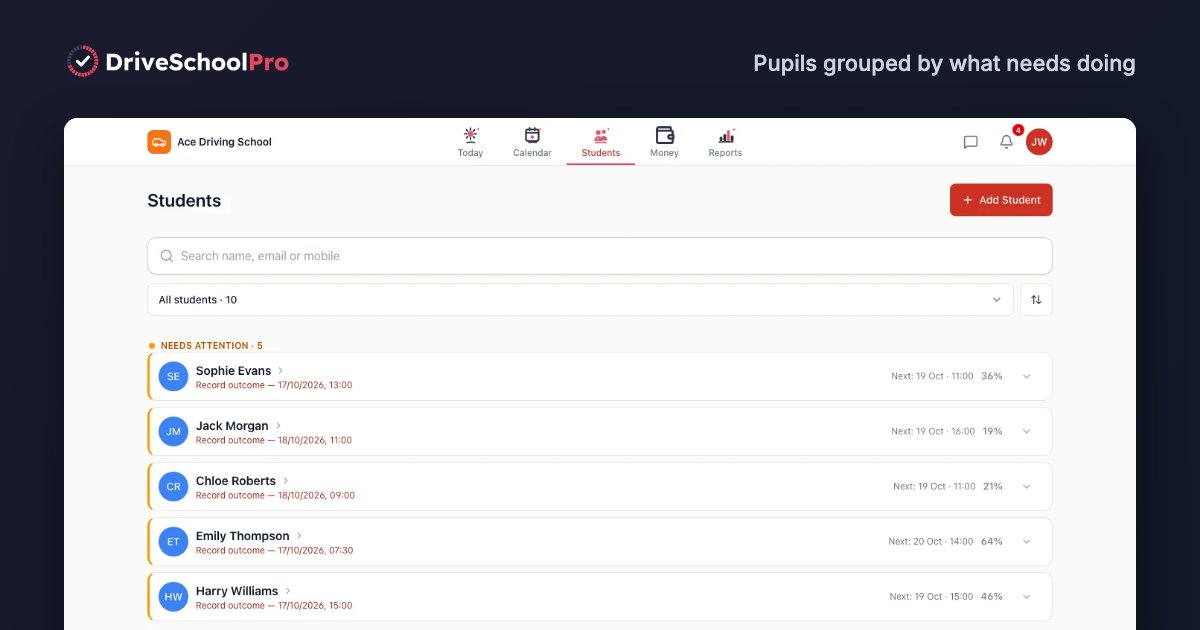
If you teach to the UK test, yes. Tracking each pupil against the DVSA 27 driving skills is what turns a diary into a teaching tool, and it shows the pupil (and anyone covering their lessons) how close they are to test-ready. Generic booking tools such as Teachworks, SimplyBook.me and Reservio don’t do it. Among the driving apps, check the wording: some say “DVSA syllabus”, others describe their own skills matrix.
2. Which reminder channel do your pupils read?
Reminders are the simplest way to cut no-shows (see our guide to reducing no-shows). Email reminders are usually included. Text reminders are included by MyDriveTime (individual plan) and GoRoadie Pro; elsewhere they’re paid or not offered. Passly and Lesson Diary don’t send texts. DriveSchoolPro sends email reminders today, with text and WhatsApp coming soon.
3. How will pupils pay?
If pupils pay cash or bank transfer, any tool that records payments will do. If most pay by card, compare the platform fee on top of card processing as well as the subscription.
4. How many instructors and cars?
Solo, the extra-instructor price doesn’t matter. From two instructors up, check the price per extra instructor, whether every instructor sees the same pupil record, and whether a booking is checked against the car as well as the instructor. Vehicle MOT, tax and insurance tracking is rare: of the platforms here, only DriveSchoolPro lists it.
5. Phone, browser or both?
You’re in the car between lessons, so the instructor app has to be quick on a phone. Some platforms are app-only (GoRoadie Pro, LessonBuddy), some browser-first (Lesson Diary, Driving School Office, Teachworks) and some both.
Driving school management system or booking tool?
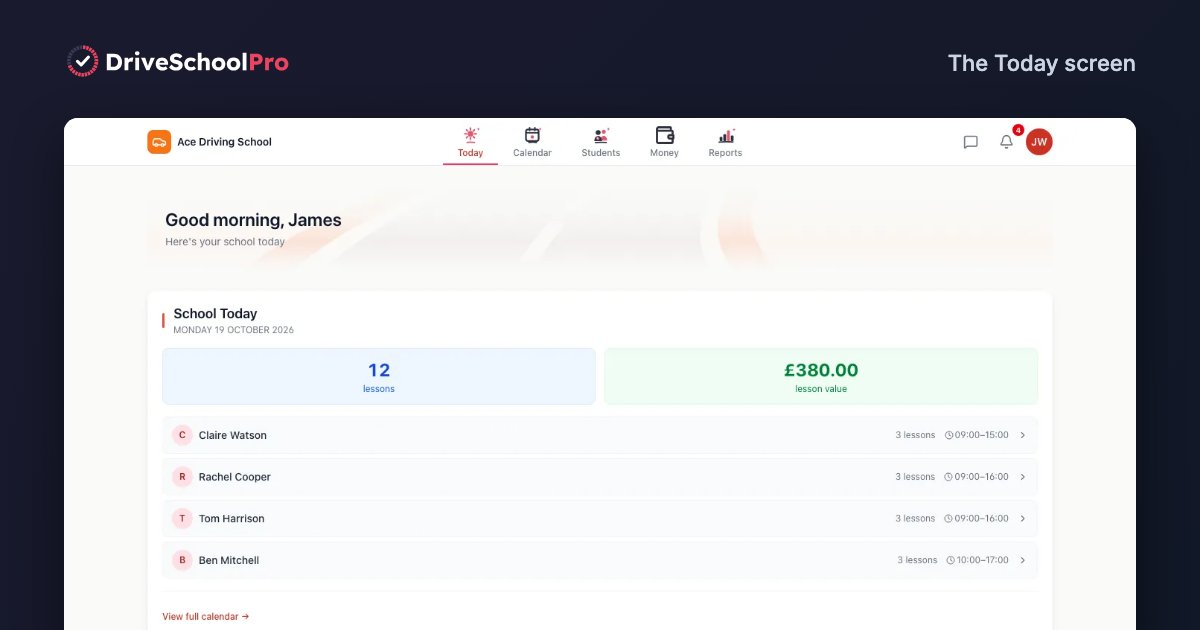
“Driving school management system” and “management software” usually mean the whole school in one place: every instructor’s diary, online booking, pupil records and DVSA progress, reminders, payments and balances, and, for schools, vehicles and staff logins. A booking tool covers the diary and payments but stops there. If you only want pupils to book and pay online, a booking tool is cheaper; if you run cars and instructors, you want a management system. Our driving school management software page shows what that looks like in DriveSchoolPro.
Driving school CRM: what it means for an instructor
“CRM” gets used loosely. For most schools it means one pupil record everyone can trust, not a sales pipeline. Check four things:
- One pupil record. Contact details, pickup address, lesson history, payments, DVSA skill ratings and notes in one place. In DriveSchoolPro every instructor assigned to the pupil sees the same record, which matters for cover lessons.
- Messages tied to the pupil. Pupils can message their own instructor from the DriveSchoolPro app, and you reply from a Messages inbox, so the conversation sits with the pupil rather than in your personal WhatsApp.
- A record of what was sent. DriveSchoolPro keeps delivery logs of the reminders and emails it sends.
- Enquiries before the first lesson. This is where tools differ most. Total Drive, MyDriveTime, GoRoadie Pro (Enquiry Manager) and Passly (leads inbox) all list enquiry handling. DriveSchoolPro doesn’t track enquiries yet.
Platform reviews
What each platform’s own site says it does, where it’s the better fit, and what to know. Checked 2 November 2026.
DriveSchoolPro
Best for: UK ADIs and small-to-medium schools who want DVSA tracking and less admin. Price: free until 31 March 2027; then a Free plan, Solo £22 a month or School £22 plus £10 per extra instructor, no VAT (pricing).
What it does well:
- Tracks every pupil against all 27 DVSA skills in 8 categories, and pupils see their own progress (progress tracking)
- One app on the App Store and Google Play for you and your pupils, or any web browser
- Writes a short AI lesson briefing before each lesson from your last notes and the pupil’s skill ratings
- Checks every booking against the pupil, the instructor and the vehicle, and tracks MOT, tax and insurance dates
- Booking widget for your own website, card payments through Stripe, pupil balances and lesson packages
- Asks pupils who pass for a Google review
- Email lesson reminders with delivery logs
What it doesn’t do yet:
- No text reminders yet (text and WhatsApp coming soon), no theory content, no cancellation-gap broadcast and no parent accounts
- Recording test bookings and results is coming soon
- No Google Calendar sync, no enquiry list and no bulk import of pupils (pupils are added by hand)
- No white-labelling or franchise tools
- Its 3% card fee is higher than Passly’s or GoRoadie Pro’s
- Newer than the established platforms, so less track record
Total Drive
Best for: instructors who want the most established UK app and theory practice for pupils. Price: £18 to £26 a month across four plans, VAT included (pricing).
Total Drive says it is used by over 8,600 driving instructors every week. Its site lists syllabus progress tracking with custom syllabuses and skill sets, free lesson and payment reminders, card payments without a card machine, Smart Gaps for filling cancelled slots, two-way Google and Apple Calendar sync, enquiry forms that feed into your account, mock and practical test records, a free pupil and parent app, and multi-instructor reports including pass rate per instructor. Its Theory Suite has 2,500+ DVSA questions, which pupils unlock for a one-off £4.99.
Worth knowing: online booking and “Gaps Plus” are in the higher plans, not the £18 Basic plan. We couldn’t find vehicle MOT, tax and insurance tracking or AI lesson briefings. DriveSchoolPro vs Total Drive →
MyDriveTime
Best for: instructors who value support, and bigger schools watching the cost per instructor. Price: £19 a month for individuals, SMS included; schools from £19 plus £15, £10 or £5 per extra instructor (pricing).
Running since October 2014, MyDriveTime describes itself as twice “Professional Support Provider of the Year”. Its site lists the standard DVSA syllabus (customisable), automated reminders with delivery shown in the diary, inviting pupils to fill gaps, practical and theory test results, enquiry handling and pupil allocation for schools, sharing the diary with external calendars, spreadsheet finance export, free migration from another system, and a 6-month money-back guarantee. A PDI plan is free until you qualify.
Worth knowing: we couldn’t find card payments, vehicle tracking or AI lesson briefings on its site. DriveSchoolPro vs MyDriveTime →
GoRoadie Pro
Best for: instructors who want texts included and an enquiry manager. Price: £17 a month (GoRoadie Pro).
GoRoadie Pro lists three reminders per lesson by text, email and in-app with “zero text costs”, Stripe card payments (with a 1.9% service fee on payments you request, and pupils covering Stripe’s fee), an Enquiry Manager with a request link and waiting list, filling nearby open slots, pupils’ theory test progress from partner apps, lessons added to your phone’s calendar, and a free pupil app. It’s free for PDIs. GoRoadie also runs a separate learner referral service where instructors pay per pupil.
Worth knowing: the site doesn’t name DVSA skills, and we couldn’t find a web version or multi-instructor features on the Pro page. GoRoadie vs DriveSchoolPro →
Passly
Best for: price-conscious instructors who also want leads. Price: £14.99 a month (£7.50 for the first 3 months) (pricing).
Passly lists DVSA-aligned skill tracking, reminders by email, in-app and push, free push alerts for cancelled slots, test results (pending, pass or fail), a leads inbox with CSV export, multi-instructor accounts with a super-admin view, and Stripe card payments with a flat 1.5% on top of Stripe’s fees. It says plainly that it doesn’t send SMS.
Worth knowing: its pages disagree on the price of extra instructors (£8.99 each on the pricing page, £14.99 per teaching instructor elsewhere), so confirm before you sign up. DriveSchoolPro vs Passly →
LessonBuddy
Best for: instructors who want parent access, and PDIs. Price: £9.99 a month or £89.99 a year, one plan with unlimited pupils (pricing).
LessonBuddy lists a five-level skills matrix, automated lesson and payment reminders, Stripe card top-ups, publishing gaps to chosen pupils, website booking tools, pupil and parent access at no extra cost, and school accounts with sponsored instructor seats. Qualified ADIs get 60 days free and PDIs up to 6 months.
Worth knowing: it’s iPhone and Android only (we couldn’t find a web version), and the site doesn’t say whether the matrix follows the DVSA syllabus or which reminder channels it uses. DriveSchoolPro vs LessonBuddy →
Lesson Diary
Best for: solo ADIs who prefer a browser. Price: Solo £9.99 a month, plus a free account for up to 3 pupils and 12 lessons (plans).
Lesson Diary runs in any browser with an iPhone app (Android on request). It lists tracking against the DVSA syllabus lesson by lesson, DL25-style mock tests, email reminders, sending a cancelled slot to pupils (first to book gets it), a pupil link with no app needed, and free diary migration within one working day.
Worth knowing: it doesn’t send text reminders or take card payments, it doesn’t show pupils their syllabus progress, and we couldn’t find multi-instructor support.
Bitepoint
Two different UK products use this name. Bitepoint at bitepoint.co.uk is a WhatsApp assistant and CRM for instructors: it answers booking enquiries on WhatsApp, says it tracks all 27 DVSA competencies across 5 levels, sends parents a weekly progress report, and takes Stripe payments. It costs £17.99 a month per instructor, and pupils pay a 3.5% booking fee capped at £3.50 (bitepoint.co.uk). Bitepoint at bitepoint.app is a separate pay-once diary for solo instructors on Android, with data kept on your phone (bitepoint.app).
Best for: instructors whose pupils book on WhatsApp. Worth knowing: we couldn’t find a trial length, calendar sync or vehicle tracking.
Driving School Office
Best for: franchises and larger multi-car schools. Price: not published; “Pay-As-You-Grow” with “First Instructor Free” (drivingschooloffice.co.uk).
Driving School Office lists a pupil progress tracker, automated notifications and bulk messaging, in-app card payments, free online pupil accounts, instructor expenses, an audit log, white-labelling and a franchise manager. It says it has booked over 1 million lessons.
Worth knowing: its pricing and benefits pages didn’t load when we checked, so ask for a quote and a demo. It’s still the only platform here listing franchise management. DriveSchoolPro vs Driving School Office →
Teachworks
Best for: larger schools that want a mature scheduling and billing platform with many integrations. Price: from US$16.49 a month plus US$0.35 per student lesson, with unlimited teachers (pricing).
Teachworks is built for teaching businesses worldwide, with a driving school page. It lists a Vehicle Manager add-on that assigns cars to lessons, email reminders with SMS as a paid add-on, Stripe payments and a Google Calendar integration.
Worth knowing: it’s priced in US dollars and isn’t built around UK tests: no DVSA tracking or test recording. Its FAQ says data is hosted on Amazon Web Services in the US. DriveSchoolPro vs Teachworks →
SimplyBook.me
Best for: instructors who only need online booking with text reminders. Price: free for 50 bookings a month; paid plans £12.90 to £55 a month, or less billed annually (pricing).
SimplyBook.me has a driving school booking page listing email and SMS reminders (SMS on paid credits), multi-instructor schedules, lesson packages, Google Calendar connection and iPhone and Android apps.
Worth knowing: it’s a general booking tool: no DVSA progress, vehicle tracking or test recording.
Reservio
Best for: part-time instructors who only need booking on a light diary. Price: free for 40 bookings per 30 days; paid plans £7 to £29 a month plus VAT, with a 6-month minimum term (pricing).
Reservio’s driving school page lists assigning instructors and vehicles on one calendar, avoiding double-booking and tracking a pupil’s history. Email reminders are free and SMS uses paid credits. It syncs bookings to Google, iCal and Outlook.
Worth knowing: no DVSA tracking or test recording, and its free plan also charges a higher fee on online payments. DriveSchoolPro vs Reservio →
Also seen in AI answers and app stores
WeDrive and Instructly come up when people ask AI assistants for instructor apps. We couldn’t check them properly: WeDrive’s website has no pricing or feature detail and its iPhone app was last updated in May 2023, and Instructly’s website no longer loads and its iPhone app was last updated in August 2024. Check that either is still maintained before you rely on it. US platforms such as DriveScout are built for US driver’s ed; we compare two in DriveScout vs DrivingSchoolSoftware.com.
All our side-by-side pages are on the comparison hub.
Decision guide by school size
Solo ADI
- DVSA tracking and less admin, free for now: DriveSchoolPro.
- Established, with theory practice: Total Drive.
- Lowest price: LessonBuddy (app) or Lesson Diary (browser), both £9.99.
- Texts included: MyDriveTime or GoRoadie Pro.
- Leads as well as software: Passly.
- Light diary, booking only: SimplyBook.me or Reservio free plans. Our guide to free driving school software covers where the free options stop.
Small school (2 to 5 instructors)
- Vehicle clash checks and MOT, tax and insurance dates: DriveSchoolPro (£22 + £10 per extra instructor from April 2027; free until then).
- Cheapest per extra instructor at this size: Passly lists £8.99; MyDriveTime £15 for the 2nd and 3rd, then £10.
- Parent access: LessonBuddy or Total Drive.
Medium school (6 to 20 instructors)
- DriveSchoolPro for shared DVSA records and fleet compliance dates; get in touch for help setting up.
- MyDriveTime, whose extra instructors fall to £10 and then £5 each.
- Teachworks if you want a large integrations library and don’t need DVSA tracking.
Franchise or 20+ instructors
Driving School Office lists white-labelling and a franchise manager. DriveSchoolPro has neither.
Is software worth it? A worked example
An illustration with assumed numbers, not a measured result. Swap in your own.
Assumptions: 3 instructors, 60 lessons a week, £35 a lesson, 15% of lessons lost to no-shows, 8 hours a week of admin valued at £15 an hour.
- Without software: 9 no-shows × £35 = £315, plus 8 hours × £15 = £120. £435 a week.
- With software, if no-shows fall to 8% and admin to 2 hours: 5 × £35 = £175, plus 2 × £15 = £30. £205 a week, before the software’s cost.
On those assumptions the difference is about £230 a week. Even at half that, it covers the monthly price of every instructor app in the tables above. The driving school revenue calculator runs the numbers for your school.
Switching: what to expect
- Week 1: create your account, add instructors and pupils, set lesson types and prices, connect card payments, set reminder timing. Ask each vendor what migration help they offer; MyDriveTime and Lesson Diary list free migration, and DriveSchoolPro has no bulk import yet.
- Week 2: instructors install the app, set availability and log a few real lessons.
- Week 3: send pupils their booking link and add the booking widget to your website.
- Week 4: check no-shows and reminder timing.
Keep your old diary running alongside for the first couple of weeks. Before you sign up anywhere, ask how you’d export your records if you left; in DriveSchoolPro the account owner can download the school’s data from Settings.
Frequently asked questions
What is the best driving school software in the UK?
It depends on the size of the business. Solo ADIs most often shortlist Total Drive, MyDriveTime, GoRoadie Pro, Passly, LessonBuddy, Lesson Diary and DriveSchoolPro. Multi-car schools look at Total Drive, MyDriveTime, Passly, LessonBuddy and DriveSchoolPro, and franchises at Driving School Office. Pick on DVSA progress tracking, reminder channels, card fees and price per extra instructor rather than on the headline monthly price. DriveSchoolPro is free until 31 March 2027.
What is a driving school management system?
Software that runs the whole school in one place: the lesson diary for every instructor, online booking, pupil records and DVSA progress, reminders, payments and pupil balances, and, for multi-car schools, vehicles and staff logins. A generic booking tool covers the diary and payments but not DVSA progress or vehicles.
What is the best CRM for driving schools?
For most UK driving schools the CRM is the pupil record inside their instructor software rather than a separate sales tool: contact details, lesson history, payments, DVSA progress and notes in one place, shared by every instructor who teaches that pupil. If you need to track enquiries before someone books, check for an enquiry or leads list: Total Drive, MyDriveTime, GoRoadie Pro and Passly all list one. DriveSchoolPro doesn’t track enquiries yet.
How much does driving school software cost in the UK?
On the vendors’ own sites (checked 2 November 2026), instructor apps cost about £9.99 to £26 a month for one instructor: LessonBuddy and Lesson Diary £9.99, Passly £14.99, GoRoadie Pro £17, Total Drive £18 to £26 and MyDriveTime £19. Extra instructors usually cost more on top. DriveSchoolPro is free until 31 March 2027, then has a free plan for 1 instructor and up to 60 lessons a month, Solo at £22 a month and School at £22 plus £10 per extra instructor.
Is there free driving school software?
Yes, with limits. DriveSchoolPro is free until 31 March 2027 and keeps a permanent free plan for 1 instructor and up to 60 lessons a month after that. Lesson Diary has a free account for up to 3 pupils and 12 lessons. SimplyBook.me and Reservio have free booking plans capped at 50 and 40 bookings a month, without DVSA progress tracking.
Which driving school software tracks the DVSA driving skills?
DriveSchoolPro tracks all 27 DVSA skills in 8 categories. Bitepoint (bitepoint.co.uk) says it tracks all 27 DVSA competencies across 5 levels. MyDriveTime and Lesson Diary say they use the DVSA syllabus, and Passly describes DVSA-aligned scoring. Generic booking tools such as Teachworks, SimplyBook.me and Reservio don’t track DVSA skills.
What is the best driving school software for multi-car schools?
Look for shared pupil records, one diary across instructors, clash checks that include the car, and the price per extra instructor. DriveSchoolPro checks every booking against the pupil, the instructor and the vehicle and tracks MOT, tax and insurance dates; School is £22 a month plus £10 per extra instructor from 1 April 2027 (free until then). MyDriveTime’s extra instructors fall to £5 a month each from the 11th, which suits bigger schools, and Driving School Office lists white-labelling and franchise management.
Does driving school software sync with Google Calendar?
Some do. Total Drive lists two-way sync with Google and Apple Calendar. MyDriveTime, Passly, GoRoadie Pro, SimplyBook.me and Reservio list a calendar connection without always saying which direction. DriveSchoolPro doesn’t sync with Google Calendar yet; pupils who book online can add their lesson to their own calendar.
Can I try driving school software before paying?
Usually. According to their own sites, Total Drive and MyDriveTime offer 30-day free trials, LessonBuddy 60 days for ADIs, Teachworks 21 days, and Passly and Lesson Diary 14 days. DriveSchoolPro is free until 31 March 2027 with no card required. Whichever you try, run a real week of lessons through it with 5 to 10 pupils.
Take the next step
- Get started with DriveSchoolPro free (free until 31 March 2027, no credit card required)
- Compare DriveSchoolPro side by side with each platform
- Contact us for a straight answer, including when another platform suits you better
Related articles
DriveSchoolPro is free while we're in early access — until 31 March 2027.
Get started freeNo credit card required.