3
Calendar Views
Day, week and month (month as a colour-coded heatmap)
Driving school scheduling software automates lesson booking, instructor coordination, and appointment management. DriveSchoolPro adds AI-generated lesson briefings so every session starts with context — and automated Google review requests so every pass grows your reputation.
Last updated: January 2026 | Reading time: 14 minutes
Day, week and month (month as a colour-coded heatmap)
Checks student, instructor and vehicle before every booking
Weekly series in one go — in testing now
Per week — based on early user feedback
Free during early access
No card required, cancel anytime
Driving school scheduling software is a specialized tool that manages appointment calendars, coordinates instructors and vehicles, enables online student booking, and automates appointment reminders. It replaces paper calendars, spreadsheets, and phone-based scheduling with an integrated digital system.
Unlike generic calendar apps, driving school scheduling software handles the complexity unique to driver education: coordinating three resources (instructor, student, and vehicle) simultaneously, tracking required training hours, managing pickup locations, and accommodating unpredictable student schedules.
Scheduling is the operational heartbeat of every driving school. Poor scheduling directly impacts revenue, reputation, and instructor satisfaction.
No-shows destroy revenue
At £45 per lesson, a single daily no-show costs over £11,000 per year. With a 15% no-show rate (common with manual systems), a school doing 500 lessons per month loses £3,375 monthly.
Schools implementing proper scheduling software report:
Your scheduling software should display appointments in a clear, visual calendar format:
Three calendar views — day, week, and month — so you always have the right view for the task. Planning the week ahead? Use week view. Want to see how busy you are at a glance? The month heatmap shows it. Need to focus on a single day? Switch to day view.
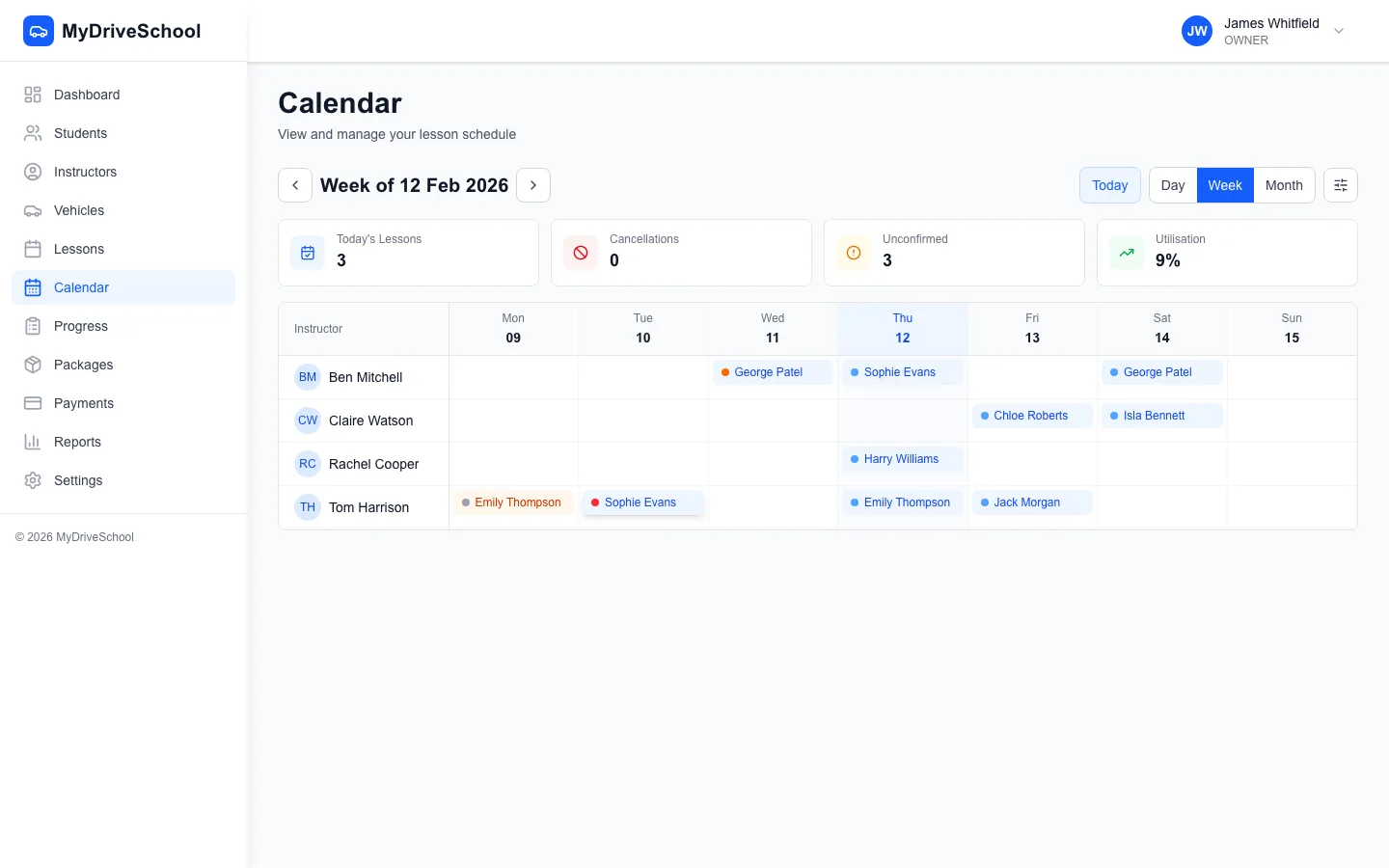
DriveSchoolPro's weekly calendar view with colour-coded lessons and drag-and-drop scheduling
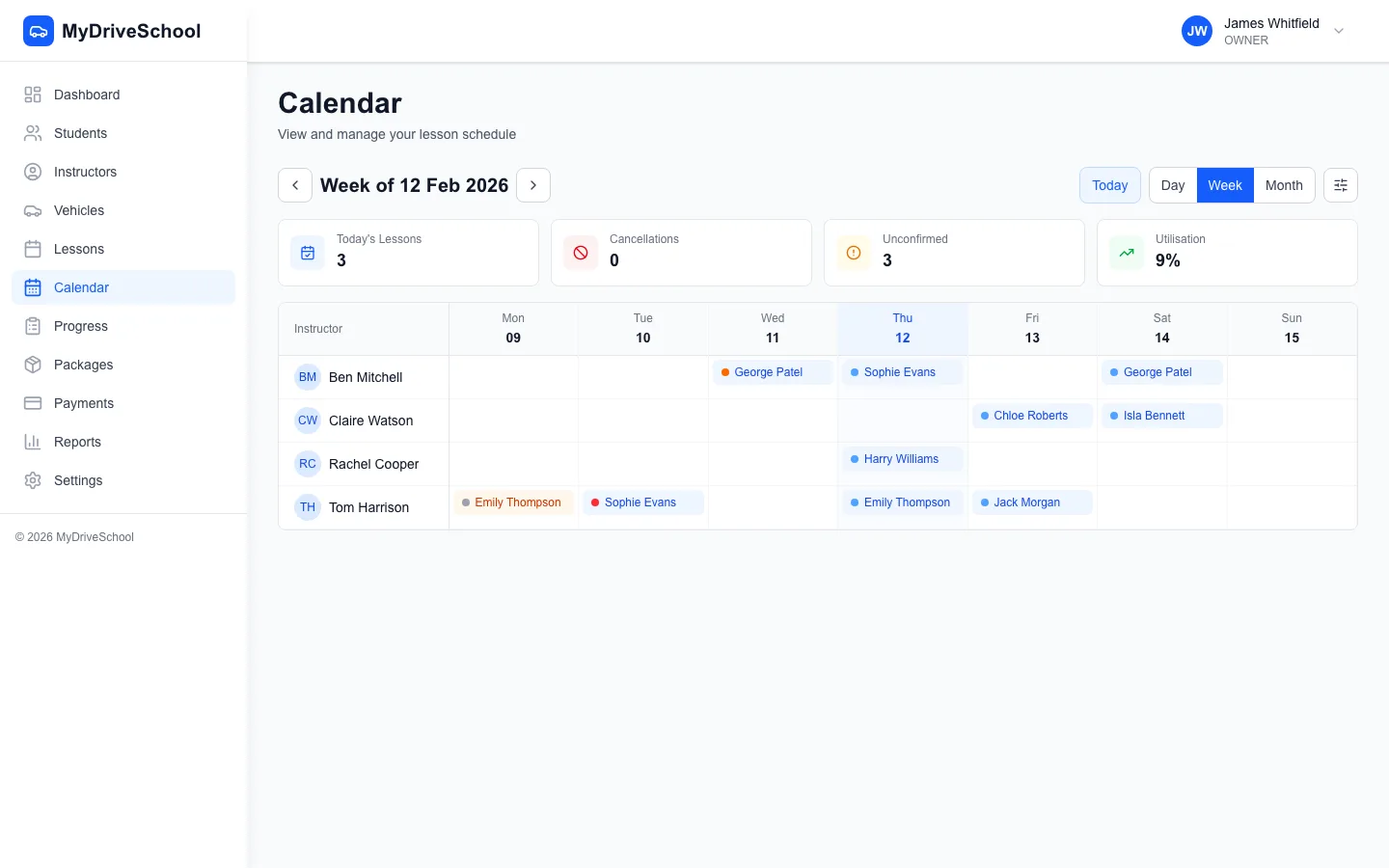
Drag-and-drop rescheduling with automatic conflict detection
The software should automatically prevent:
Student self-service cuts the admin burden on driving schools significantly. Pupils view their own lessons, track their progress and manage their details themselves, which frees up your time for teaching.
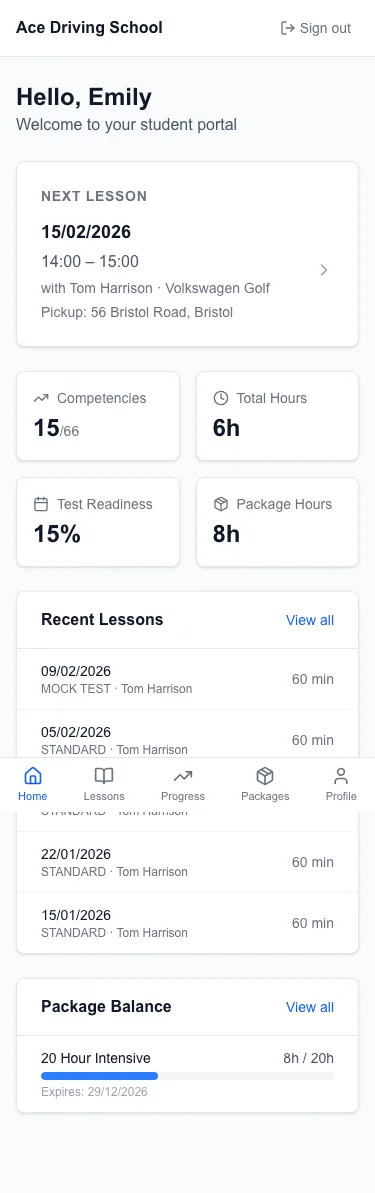
The student self-service portal on mobile
No-shows are the silent profit killer for driving schools. Good scheduling software provides tools to dramatically reduce them.
The most effective reminder sequence:
Reminders that get read: automated email reminders are included, with WhatsApp coming soon.
Often, students who no-show intended to reschedule but found it too difficult. Make rescheduling effortless:
Related: How to Reduce No-Shows at Your Driving School
Scheduling complexity increases exponentially as you add instructors. Here's how software helps.
You need to see all instructors simultaneously to:
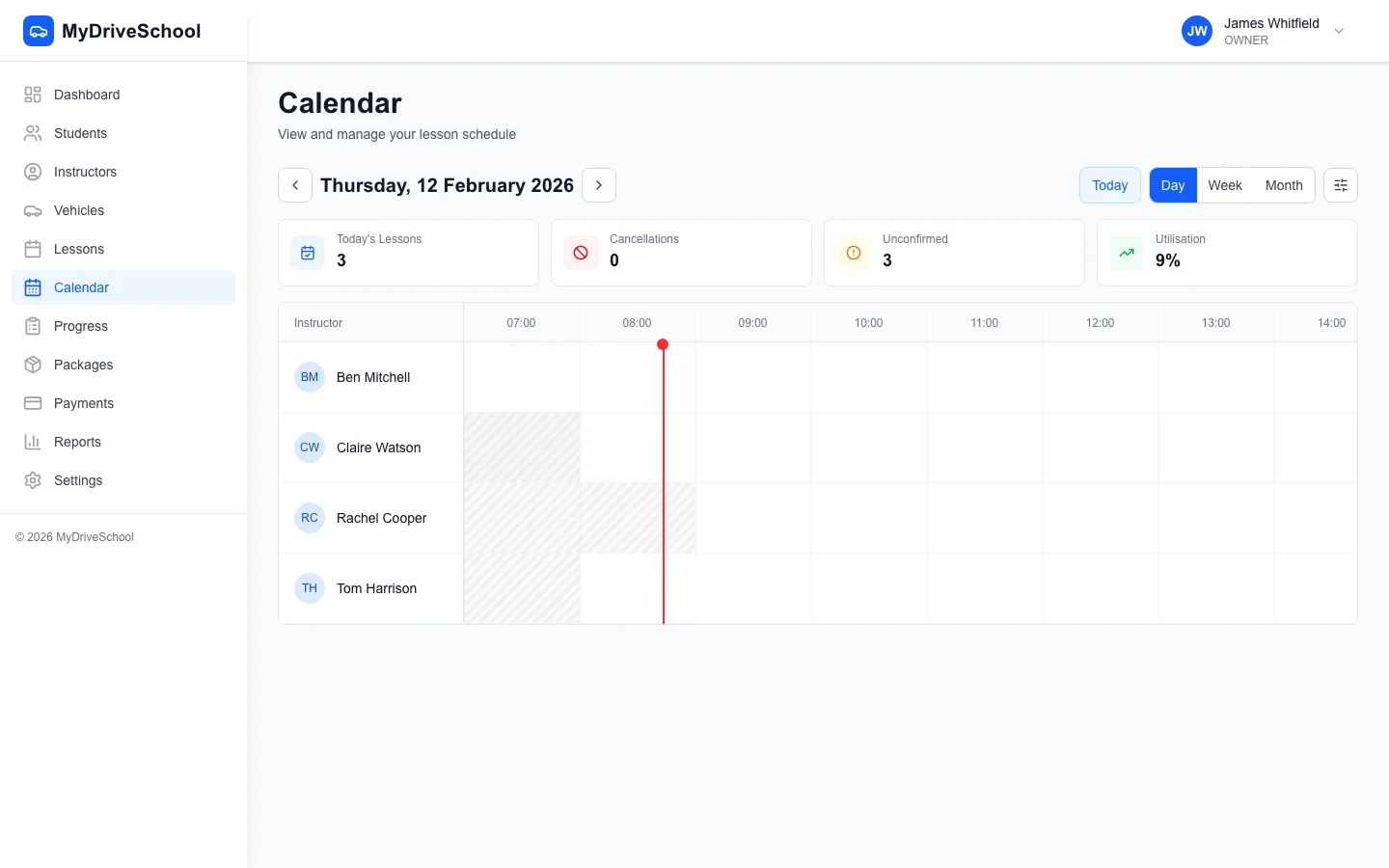
Instructor availability management with time block templates
Empower instructors to manage their own schedules:
Before investing in software, understand your potential earnings and costs. Our free calculator shows your effective hourly rate, break-even utilisation, and profit projections with UK industry benchmarks.
Calculate Your Revenue & Earnings| DriveSchoolPro | Generic Tools | Manual/Spreadsheets | |
|---|---|---|---|
| Drag-and-Drop Lesson Scheduling | |||
| Automated Email Reminders | |||
| Three-Way Conflict Detection | |||
| Multi-Instructor Coordination | |||
| Student Portal | |||
| Prevents Double-Bookings | |||
| Recurring Lesson Series (coming soon) | Coming soon | ||
| Pickup Location Management | |||
| Day, Week & Month calendar views | |||
| Instructor Availability Templates | |||
| Colour-coded multi-instructor calendar | |||
| Quick Booking from Calendar | |||
| Online Booking Widget (Embeddable) | |||
| Automated Email Reminders |
The best scheduling software offers three-way conflict detection (student, instructor, and vehicle), automated reminders, multi-instructor calendars, and prevents double-bookings. DriveSchoolPro combines all these features with drag-and-drop rescheduling (recurring lesson series coming soon) — and it's free during early access, until 31 March 2027.
Driving school scheduling software typically costs £29-150 per month depending on features and school size. DriveSchoolPro is currently free — until 31 March 2027 — while we're in early access, for solo ADIs and multi-instructor schools alike. No setup fees, no contracts, no card required, and pricing will be announced well before 1 April 2027.
Both are live. Pupils see their lessons and book from your real availability in the student portal, and you can embed the booking widget on any website with a single code snippet — with three-way conflict detection running before anything is confirmed.
Most effective strategies: automated email reminders at 24 hours and 2 hours before lessons, require prepayment or deposits, enforce clear cancellation policies, and make rescheduling easy. Schools implementing these strategies can reduce no-shows by up to 50% or more.
Quality driving school scheduling software helps prevent double-bookings by checking instructor, student, and vehicle availability before you confirm a booking. Manual calendars and spreadsheets make double-bookings far more likely, which damages your reputation.
Yes — multi-instructor scheduling is included, and free during early access until 31 March 2027. It provides individual calendars, shared availability, student assignments, and three-way conflict detection across all instructors and vehicles.
Good scheduling software lets students specify pickup addresses at booking, shows instructors the route on a map, calculates travel time between appointments, and factors drive time into availability. This prevents back-to-back bookings across town that are physically impossible.
Scheduling software sends automated reminders via email at configurable times (typically 24 hours and 2 hours before lessons). Students can confirm, cancel, or reschedule directly from the reminder. This reduces no-shows significantly and eliminates manual reminder calls.
Pupils view their full schedule in the student portal and can reschedule there without calling. Staff can also reschedule from the drag-and-drop calendar.
DriveSchoolPro has its own full-featured calendar with day, week, and month views, and drag-and-drop rescheduling, so everything lives in one place (recurring lesson series coming soon). You can export lessons to Google, Apple, or Outlook via a one-way calendar file (ICS); two-way sync isn't available yet.
DriveSchoolPro offers three calendar views — day (a detailed single day), week (a grid with time slots), and month (a colour-coded heatmap of how busy you are). Switch between them instantly; each suits a different workflow. You can also book lessons directly from the calendar using the quick booking panel.
DriveSchoolPro makes scheduling effortless with drag-and-drop calendars, three-way conflict detection, and automated email reminders.
Get started freeNo credit card required. Free until 31 March 2027.
We use cookies to improve your experience and analyse site traffic. Read our Privacy Policy